Digital menu displays
for craft beer
BrewerBoard is the complete menu platform for breweries, taprooms, bars, and restaurants. Your tap list, everywhere it needs to be, TVs, phones, your website, all from one dashboard.
Build your menu in seconds, brand it to match your room, and push live updates to every screen instantly. Schedule menus, track views, post to social, and 86 a kicked keg from your phone.
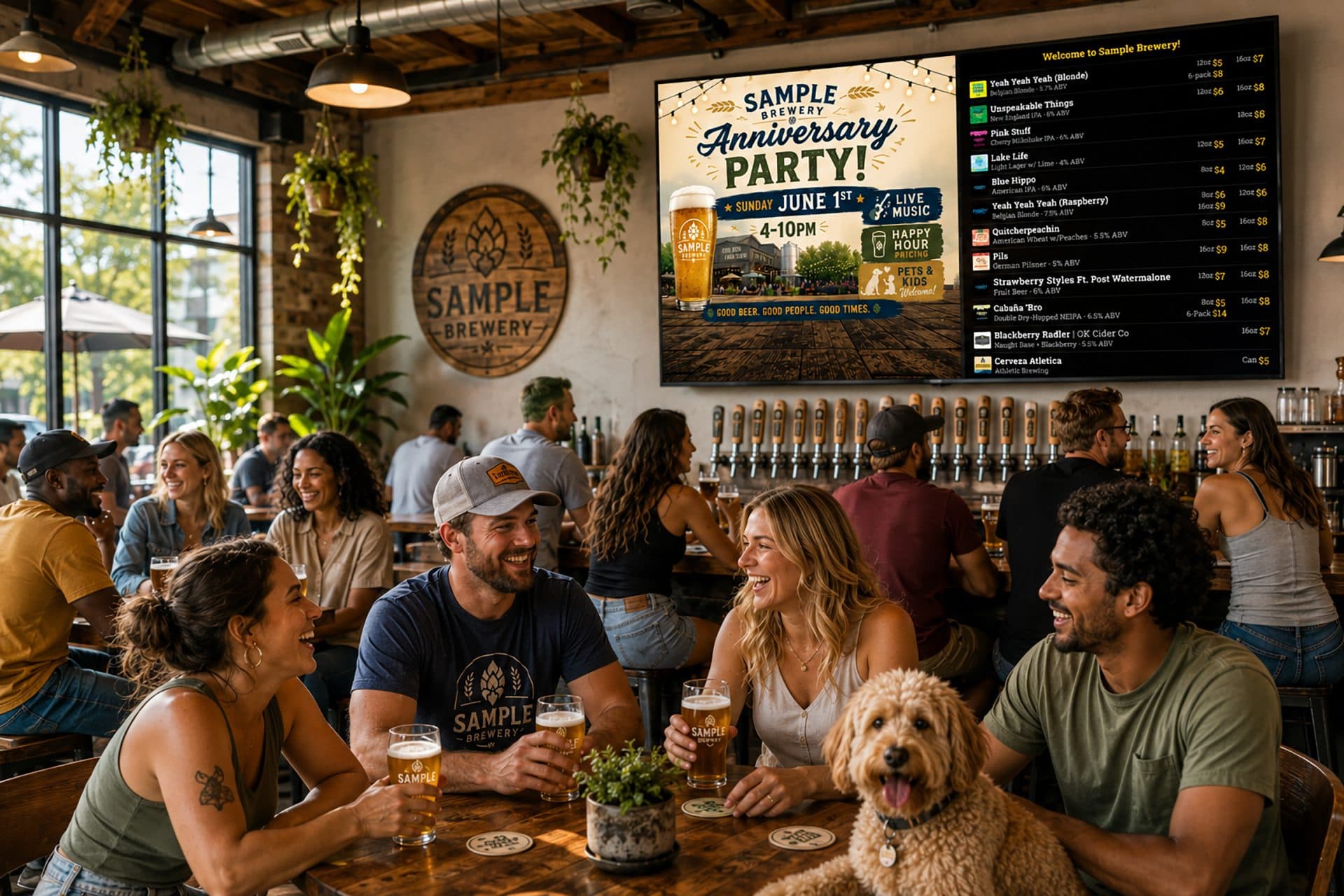
One platform, every surface
Everything below is included, no tiers, no add-ons. Tap any card to see how it works.
Live tap list management
Add from a 139k beer catalog, your dashboard, or a spreadsheet. Reorder, edit, and update, every screen changes instantly.
Learn more →Phone & website menus
Every menu gets a QR code customers scan at the table, plus an embeddable widget for your site. Both stay in sync with your TVs.
Learn more →Menu view analytics
See how often customers open your phone and website menus, totals, views per day, busiest hours and days.
Learn more →Auto-generated social posts
A branded "now on tap" card and a written caption for any beer. Share to Instagram or Facebook from your phone.
Learn more →Scheduled menus
Switch menus automatically by day and time: Happy Hour till 6pm, a weekend list, or a one-off menu for an event.
Learn more →Mobile app + one-tap 86
Run your taproom from your phone. Toggle a kicked keg off and it leaves every screen instantly.
Learn more →Get your menu on screen, your way
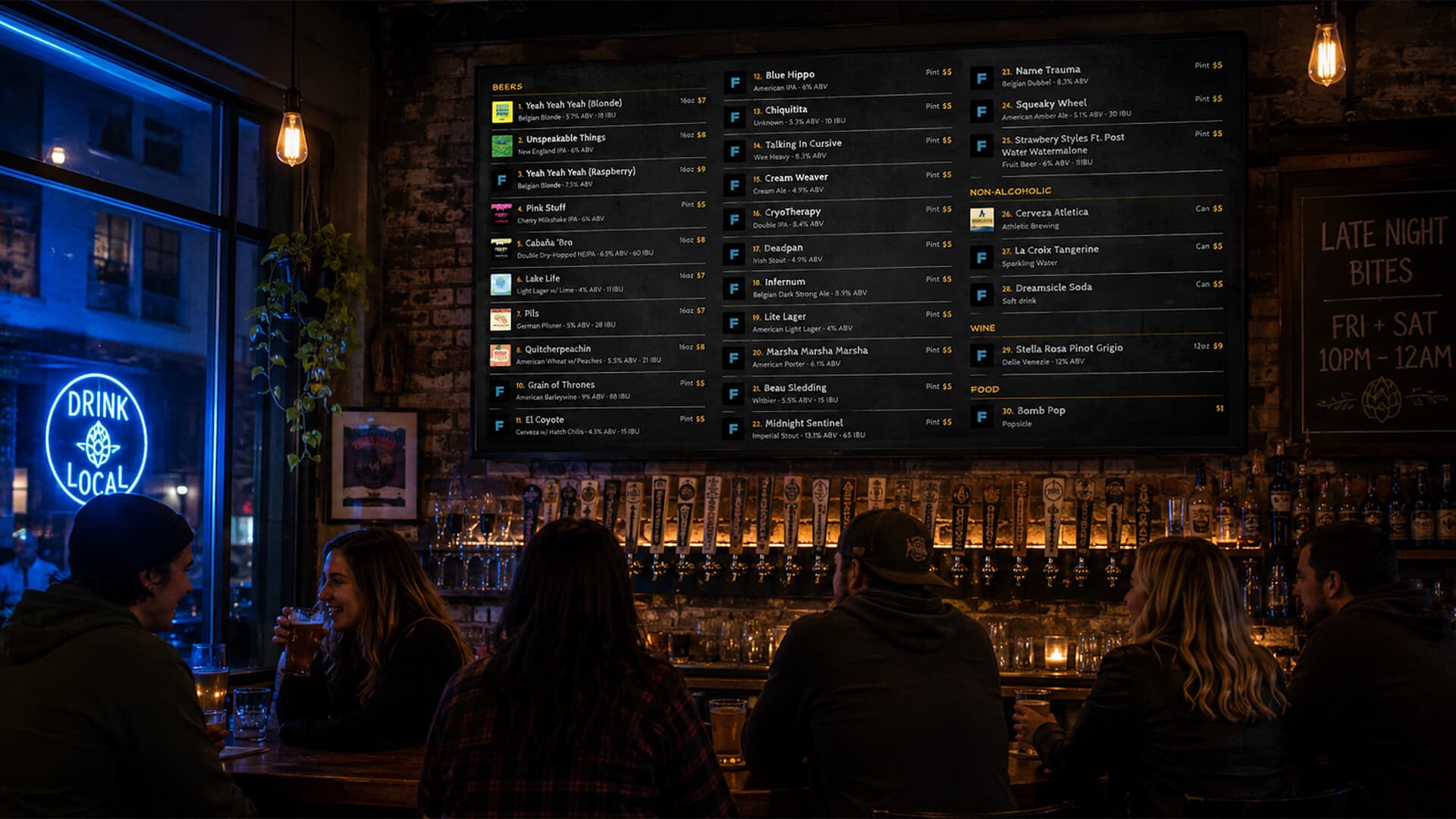
Build your menu right inside the BrewerBoard dashboard. Add items manually with all the details (name, style, ABV, IBU, tasting notes, label artwork), search a catalog of 139,000+ beers and add one in two taps, or upload a spreadsheet to load everything at once. Choose what appears, set the order, and update anytime.
Every change pushes to your screens instantly. No refreshing, no apps to restart, no double work.
- 139,000+ beer catalog, add a beer in two taps
- Manual entry with ABV, IBU, style, and tasting notes
- Spreadsheet import to load your whole list in seconds
- Beer, wine, cocktail, non-alcoholic, and food categories
- Beer label artwork displayed automatically
- Control which items show and in what order
See when your menu actually gets read
Every QR scan and website view is counted, so you finally know how much your digital menu is working. The Insights dashboard shows total opens, a view-per-day chart, and your busiest hours and days, the kind of data a chalkboard could never give you.
Use it to time your beer drops, plan staffing around your busiest windows, and prove the table tents are earning their spot.
- Phone (QR) scans and website embed views, counted separately
- Views per day over time
- Busiest hour and busiest day of the week
- No setup, it tracks automatically
Menus that change themselves, by day, time, or event
Your menu changes through the day, so your screens should too. Point a TV at a scheduled display and BrewerBoard switches it between menus automatically: a Happy Hour list until 6pm, your regular menu after, and a different lineup on Saturdays and Sundays. Set it once and walk away.
Running a release party or a special event? Add a one-off menu for that exact date and time. It takes over when the event starts and switches back to your normal schedule when it's done. The TV keeps the same code the whole time, so only what's on screen changes, in your local time.
- Switch menus automatically by time of day
- Different menus for weekdays, weekends, or any day you choose
- One-off date overrides for special events that revert automatically
- Runs in your local time; the TV switches on its own
- One TV, one code: the schedule decides what shows
Run your taproom from behind the bar
The BrewerBoard iOS and Android app puts your whole menu in your pocket. Reorder beers, edit prices, and update your list mid-shift without walking back to the office.
When a keg kicks, open the 86 tab: every item with an on/off switch, in alphabetical order. Flip one off and it's pulled from every screen instantly and jumps to the top so the whole team can see what's out. No menus to dig through, two taps and it's gone.
- iOS and Android app for owners, managers, and bartenders
- One-tap 86: mark an item sold out across every screen
- Sold-out items pin to the top so staff see them fast
- Reorder beers and edit prices from your phone
- Each staff member gets their own login
A display that looks like your place
Choose from dozens of fonts (or upload your own), set your brand colors, add a background image, pick one or two columns, run a photo slideshow, and add a scrolling ticker for announcements. Everything lives in one dashboard with a live preview.
No label artwork for a pour? Show a stylized glassware iconinstead, a pint, tulip, snifter, wine glass, or martini, in the right color for what's in it.
- Custom fonts, colors, and background images
- One or two column layouts with flexible sizing
- Glassware icons, show the correct glass per item
- Photo slideshow mode and scrolling ticker
- Dietary tags and custom footer messages
- Live preview before anything goes on screen
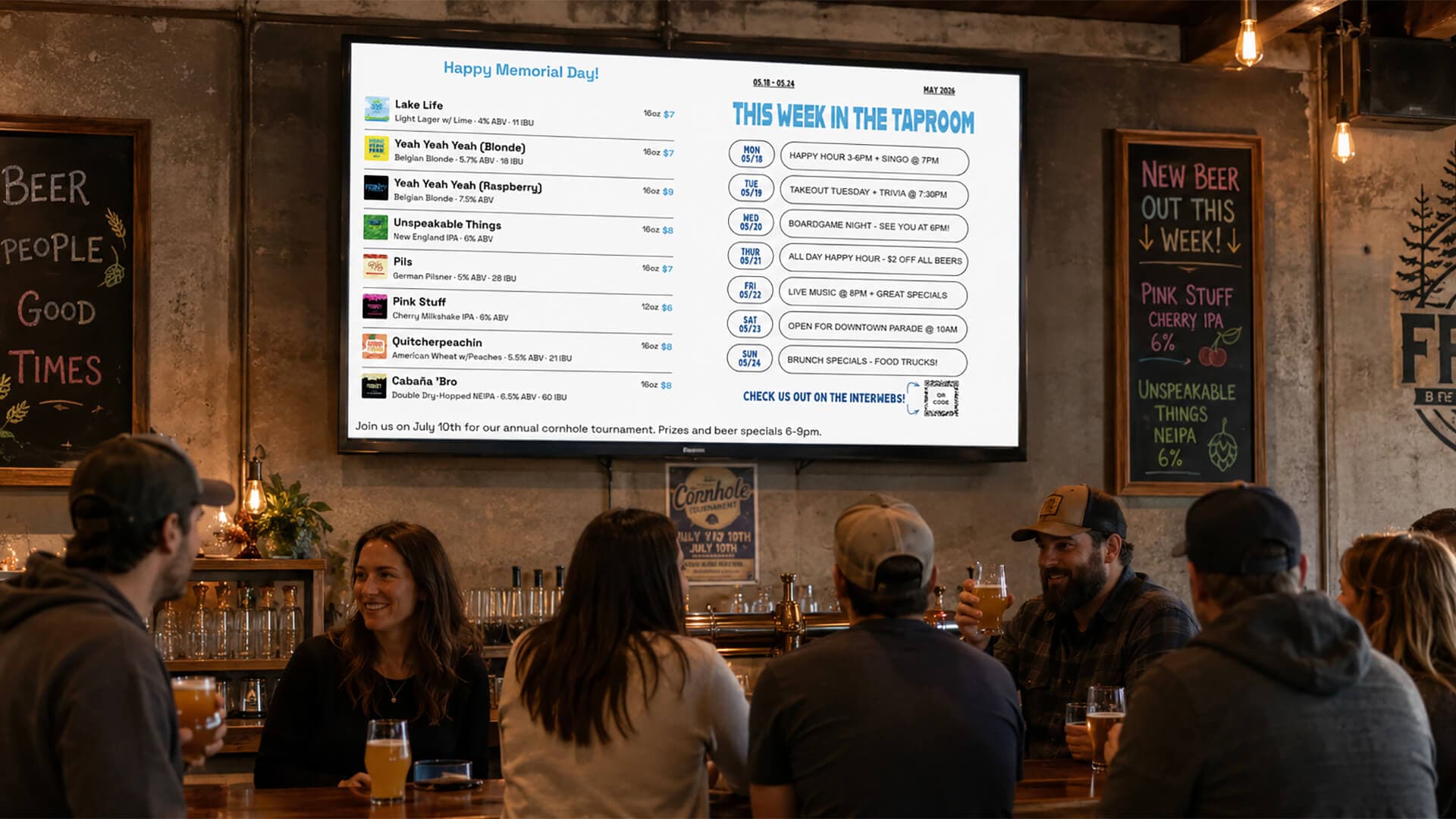
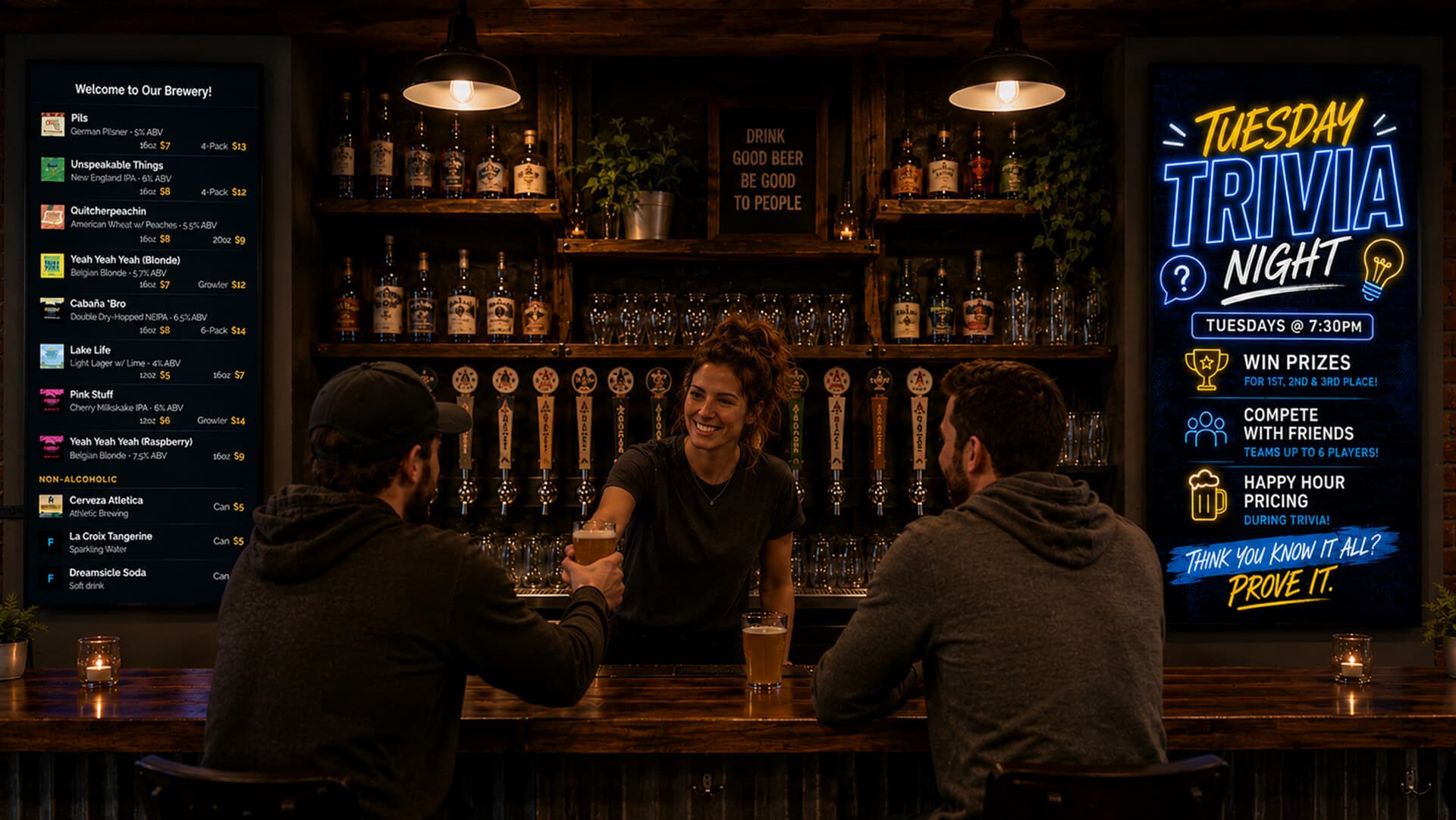
Different displays for every space
Your bar might show the full tap list with prices, while your patio screen highlights seasonal specials and your dining room focuses on food pairings. BrewerBoard supports unlimited screens, each with its own content and layout.
TVs run native apps for Fire TV and Android TV, with a web fallback for any other browser. Each screen gets a unique code, enter it once and the display goes live. No proprietary hardware to buy.
- Unlimited screens per location
- Native apps for Fire TV and Android TV
- A unique code per display; web fallback on any browser
- Different selections and layouts per screen
Priced for your kind of place
Same platform, every feature included. Pick the page that fits you.
Ready to upgrade your menu displays?
BrewerBoard is currently available for Oklahoma craft breweries, taprooms, bars, and restaurants. Reach out to get set up and we'll have your menus running the same day.
Contact us to get started
Fresh pour alert 🍻 Hazy Daze just hit the taps. Juicy, soft, and built for the patio.
#OnTapNow #HazyIPA #YourTaproom
A new beer is a new post, without the work
The hardest part of posting “now on tap” is making it look good and finding the words. BrewerBoard does both. Pick any beer and it builds a clean, branded announcement card and writes a caption with hashtags from the beer's own details.
Tweak the caption if you want, then copy it, download the image, or share straight to Instagram or Facebook from your phone. The card can match your screen's branding or use a sharp classic look.